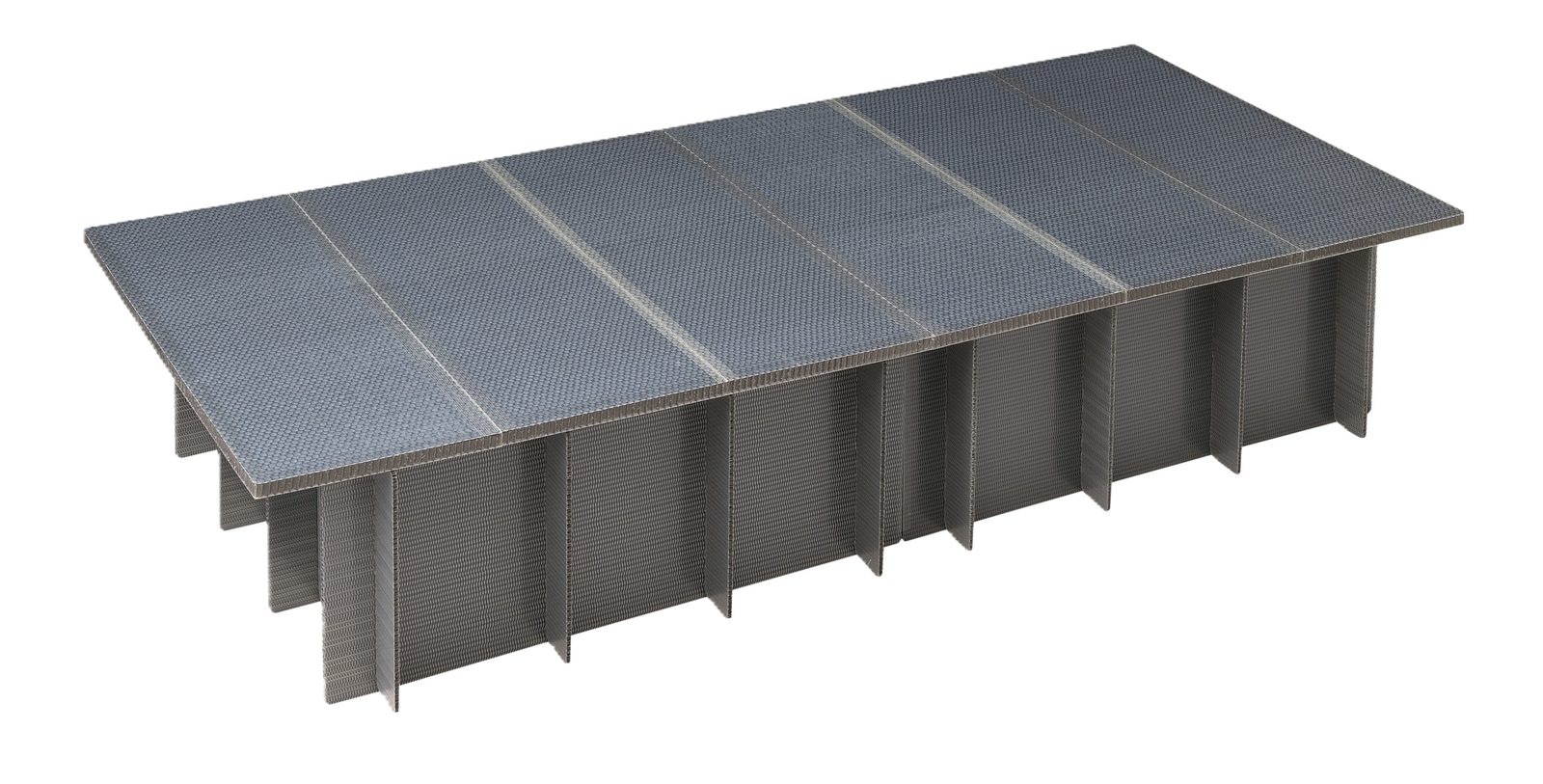
A water-resistant disaster relief bed made of resin honeycomb. Assembled without tools and reusable.


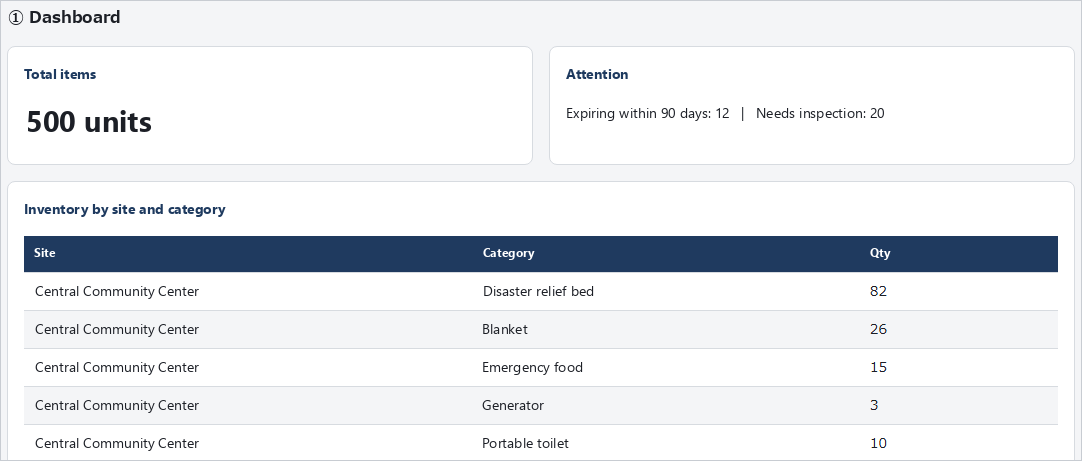
Attach RFID tags to stockpiled items such as disaster relief beds and manage them in a ledger on a PC. You can see items due for replacement and the inventory at each site at a glance, and register delivered items simply by reading them all at once with a reader.
Actual screens are shown, from checking items nearing their expiry dates to reading and registering tags and deploying items to shelters (about 1 minute 54 seconds; narration in Japanese).
Register expiry dates or recommended replacement dates, and the dashboard shows how many items expire within 90 days and how many are expired or need inspection. You can list them in order of expiry and export them as CSV or PDF for next year's budget request or replacement plan.
Read the RFID tags of delivered items all at once, specify the item, storage site, production month and expiry date, and register them in one go. There is no need to enter numbers one by one.
Our Disaster Relief Bed can be delivered with RFID tags (GRAI, the GS1 international standard for asset identification) already attached, so you can read and register them as soon as they arrive. Items you already have can be managed the same way by attaching RFID tags.
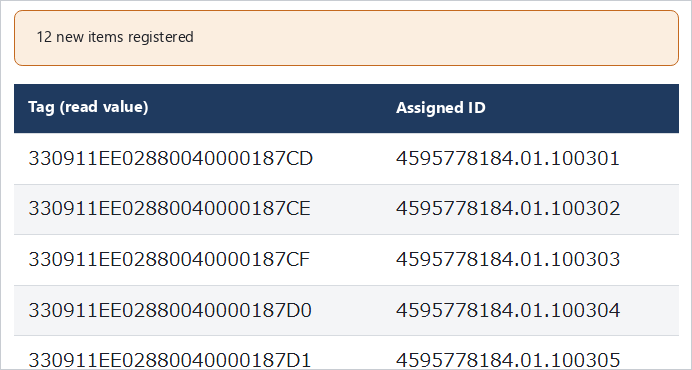
Tags read in one batch are registered at once, each with its own identification number
• Inventory by site Lists which items are at which site, and how many.
• Dispatch and deployment records Record the number sent to shelters and the number remaining just by selecting a site and reading tags. Even support staff handling it for the first time can use it, and misreads can be cancelled in one step.
• Collection and inspection Record the number and condition of returned items to prepare for next time.
• History For each item, records when, by whom and to where it was moved. Input errors can be corrected on the spot.
• Stocktaking Just read the tags at a site to automatically check matches and shortages against the ledger.
• Reports Item lists, expiry lists, receiving history and stocktaking results can be exported as CSV or PDF.
• Bulk site registration Sites can be registered in bulk from a CSV file, so even local governments with more than 100 sites can get started quickly.
• Runs on a single PC It runs on one Windows PC and does not communicate externally, including with the internet, which also makes IT department reviews easier.
• No personal data It holds no personal data on residents or evacuees, only information on stockpiled items.
• Role-based access Separate permissions for administrators, operators and viewers.
| Software | Emergency Stockpile Management System (operated in a web browser) |
|---|---|
| PC | Windows 11 |
| RFID reader | Handheld reader Unitech RP902 (Bluetooth connection) |
| RFID tags | UHF RFID tags (our disaster relief beds can be delivered with tags attached) |
* The screens shown use demo data, and their on-screen text has been translated into English for reference. The software itself is currently available in Japanese only.
For consultation on introduction or to request a demonstration, please feel free to contact us.
COMPASS, Development & Technology Center, Kotobukiya Fronte Co., Ltd.
1-24-1 Fujiwara-cho, Gyoda-shi, Saitama 361-0016, Japan
E-mail compass@kf-k.co.jp